
Instead of deciding every Monday whether your career needs a reset, set a repeating review block in Google Calendar and use your birth-chart reading to choose the question you will work on. A saturn return career calendar can schedule that reflection in 2026, but it will not detect a Saturn transit or block its exact dates for you.
- A saturn return career calendar is a recurring work check-in, not an automatic transit alert.
- Astrofluence is best for framing a career question; verify Saturn-return dates separately before adding date-specific blocks.
- Use Google Calendar to reserve review time, then leave each session with one action you can test by Friday.
Why this matters
A difficult Monday is not evidence that you need a new career. It is a reason to make time to examine what is happening: the workload, the offer you keep delaying, or the role you no longer want. If that thinking never reaches your calendar, the next meeting takes its place.
Astrofluence is best for turning a career reading into a practical question, not for predicting what will happen during your Saturn return. Its reading uses birth date, time, and place to examine career direction, work rhythm, money pattern, and timing. The chart and numerology calculations are repeatable. What you make of them is a decision, not a forecast. Start with the Astrofluence career reading if you need a question for your first block.
For this 2026 workflow, separate three jobs: interpret the reading, verify any transit date you want to use, and reserve time to think. Google Calendar handles the reservation. Do not treat a calendar reminder as proof that a planet has reached a particular position.
Before you start
- Have your exact birth date, birth time, and birth place ready for the reading. If the time is uncertain, do not treat time-sensitive chart details as settled.
- Sign in to Google Calendar on a computer with permission to create and edit events on the calendar where you manage work commitments.
- Decide on one question you can act on, such as whether to pitch a new service or ask your manager to change your responsibilities.
The setup trap: Astrofluence’s stated reading process does not give this workflow a calendar trigger for an exact Saturn-return date. If you want a date-specific event, first verify that date with a source that calculates Saturn transits against your natal chart. Check the date and time zone before entering it. Do not copy a generic age-based estimate into your work calendar as if it were your personal transit.
Set up your career-review event
- Open Google Calendar on a computer and select a workday when you can protect 20 minutes. Pick a slot you can realistically keep, not an empty gap that colleagues routinely fill.
- Click Create, then Event. Name the event for the decision, such as Career review: price the client offer. A specific title makes the block useful when you see it between meetings.
- Set the event to last 20 minutes. Use the calendar’s repeat setting to make it a weekly check-in. This repeat rule schedules the reflection; it does not calculate Saturn’s position.
- In the description, write three prompts: What is the decision? What evidence do I have from work? What can I test by Friday? Add a reminder if you need time to collect the offer, job description, or notes before the meeting.
- Check that the event is on the right calendar and that its visibility to colleagues matches what you intend. Select Save.
Expected result: Your 2026 calendar contains a repeating block you can find by its decision-focused title. Open a future occurrence to confirm the repeat rule took effect. If the event does not protect time from invitations, check its availability setting and your workplace’s scheduling rules rather than assuming the title alone will hold the slot.
The recurring event answers a practical question: when will you stop reacting and look at the work? It does not answer whether you should resign, launch, or accept an offer. Bring evidence to the meeting before you make that call.
Configure the question inside the block
- Open your Astrofluence reading and choose one area that matches the decision in front of you: direction, work rhythm, money pattern, or timing. Do not turn every line into a separate calendar event.
- Edit the Google Calendar event description. Under the decision prompt, add a short note in your own words. For example: I keep delaying a client proposal because I have not settled the scope.
- Add the evidence you will check during the block. For a proposal, that might be your draft scope and the time the work would require. For a role change, use the responsibilities you have now and the ones you want to request.
- Finish the description with one small test. Send the scope to a trusted colleague, draft the question for your manager, or put a proposed launch date beside the work still outstanding.
- Click Save and confirm the note appears in the event you intended to edit.
Expected result: The event tells you what to examine when it starts. It does not tell you what answer to reach. Astrofluence supplies a structured reflection prompt; your work documents and conversations supply the evidence for the decision.
A reading about work rhythm, for example, can prompt a review of why Monday meetings leave no time to prepare a proposal. The useful move is not to declare Monday unlucky. It is to inspect the schedule, protect proposal time, and see whether the work changes.
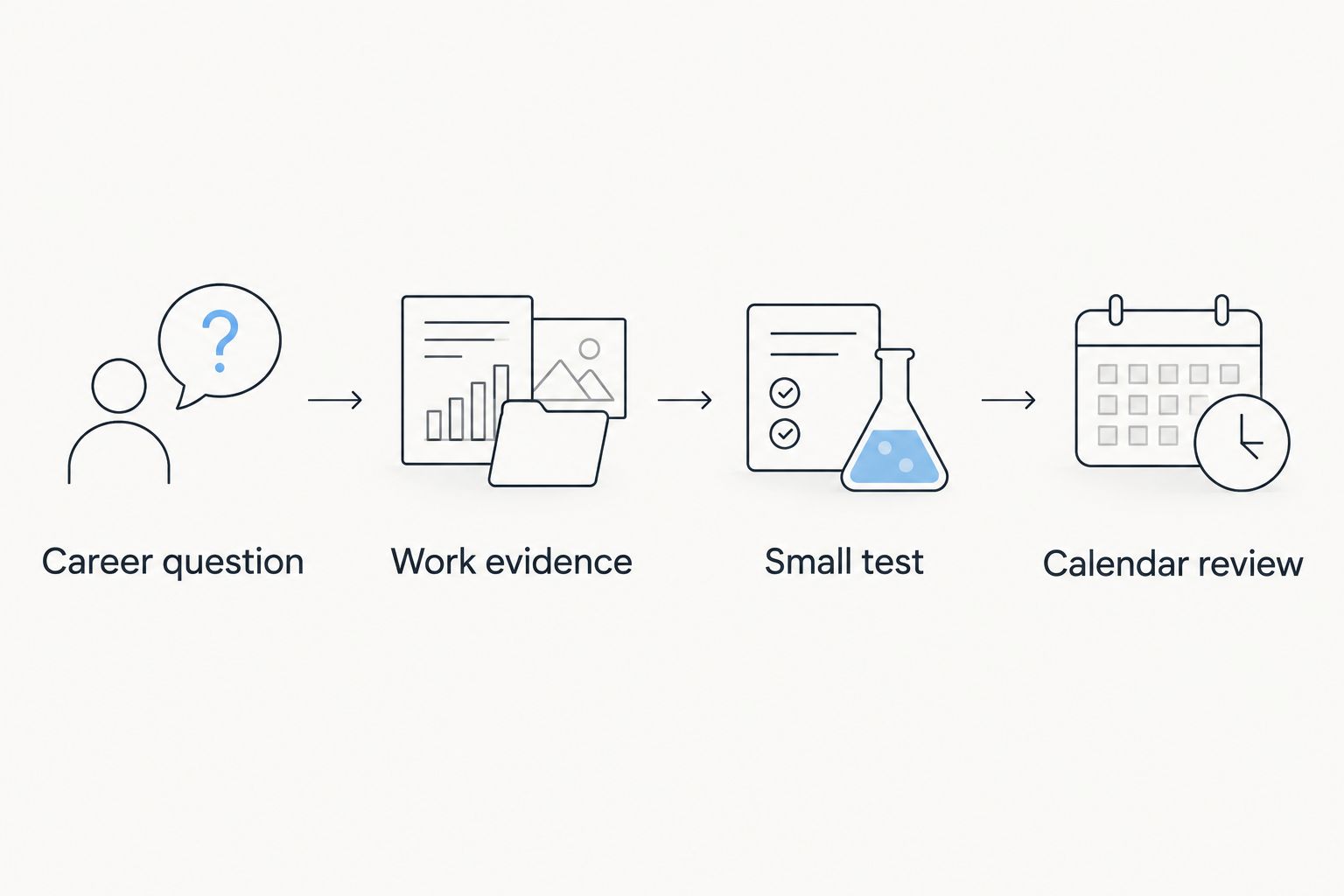
Add a date-specific block after verification
A weekly review and a transit-date event do different jobs. Keep them separate in your 2026 calendar so you can tell a standing habit from a date you checked independently.
- Verify the Saturn-return date against your natal Saturn position using a transit calculation you trust. Record which date and time zone the result uses. If a source presents a range rather than an exact date, do not turn the range into a claimed exact hit.
- In Google Calendar, click Create, then Event on the verified date. Give it a plain title such as Career review: check the offer. Avoid naming the event as a predicted career outcome.
- Reserve 30 minutes to review one live decision. Put the source and the question in the description so you can tell later why you chose that date.
- Check the calendar and availability settings, then click Save. Open the saved event and confirm the date is the one you verified.
Expected result: You now have a date-specific reflection block alongside your recurring check-in. You added it after checking the timing; no connection between Astrofluence and Google Calendar detected the date or created the event for you.
| Calendar approach | Best for | What works | Limit |
|---|---|---|---|
| Weekly career-review event | An unresolved decision that needs steady attention | Repeats without another setup step | Has no built-in link to Saturn-return timing |
| Verified-date review event | A decision you want to revisit on a checked transit date | Keeps the timing source beside the question | Requires you to verify and enter the date yourself |
Use the weekly event to keep making progress. Use the date-specific event only when you have verified a date. Neither approach turns astrology into a forecast of whether a job offer or launch will succeed.
Move a review when the decision changes
Your question can change before your next 2026 check-in. Perhaps the client has approved the scope, but you still need to decide when to start. Edit the event to reflect the decision that exists now, not the one you solved last week.
Open the relevant Google Calendar event and change its title or description. If the event repeats, pay attention to whether you are editing one occurrence or the series. Choose one occurrence for a temporary question and the series only when you want future reviews to follow the new question. Save the edit, then open another occurrence to check that you changed the intended events.
This is also the safer way to handle a date correction. If you find that your verified transit date was entered in the wrong time zone, correct the date-specific event. Do not move every weekly review to make the calendar look as though the repeat rule knew the transit date.
Troubleshooting
- The event appears, but colleagues can still book the time. Open it and check its availability setting, the calendar it belongs to, and the scheduling rules your workplace uses. A descriptive title does not control booking behavior.
- A weekly edit changed more events than you intended. Reopen the series and check which occurrence or group of occurrences you edited. Correct the affected titles, then use a single occurrence for a one-off decision.
- The transit date differs between sources. Check that both calculations use the same birth details, time zone, and definition of the transit. Do not add an exact-date block until you understand the difference.
- The reminder fires, but you still cannot choose. Replace a broad question such as Should I change careers? with a test you can finish by Friday, such as asking a manager about one responsibility or sending one draft offer.
- You cannot see the event on your work calendar. Open the saved event and check its selected calendar. Move or recreate it on the calendar you actually review for work commitments.
Do not solve a timing disagreement by making the event title more certain. In 2026, the useful record is the source you checked and the work decision you examined, not a claim that the date made the choice for you.
Customize your workflow
Once the basic block works, change the question before you change the frequency. If every session ends with the same unanswered question, name the missing evidence. You might need a written offer, a conversation about workload, or a clear list of tasks you would stop doing after a career pivot.
Use separate descriptions for separate decisions. A block about pricing a client offer needs the scope and time commitment. A block about a job change needs the role’s responsibilities and the questions you still have for the hiring team. Mixing both into one event makes it harder to leave with a next move.
For a broader setup, the Astrofluence to Google Calendar workflow covers how to carry a career question into your calendar. Keep the same boundary in your 2026 version: a chart reading frames reflection, and you schedule the event. Do not label a reminder as an automatic transit calculation.
FAQ
Can a saturn return career calendar automatically detect my transit?
The workflow here does not detect a Saturn transit automatically. Set recurring career-review events in Google Calendar, and verify any transit dates separately before adding date-specific events.
What should I put in a Saturn-return career review event?
Put one career decision, the work evidence you need, and one action you can test by Friday in the event. Keep interpretation separate from claims about what will happen.
Does Astrofluence predict whether I should quit my job?
No. Astrofluence presents a structured career reading as a reflection language, not a prediction. Use it to frame a question, then decide using your circumstances and work evidence.
Do I need my birth time for an Astrofluence career reading?
Astrofluence uses exact birth date, time, and place for its career reading. If your birth time is uncertain, do not treat time-sensitive chart details as settled.
Should I block only the exact Saturn-return date?
No. A recurring review gives an unresolved career decision regular attention, while a verified-date event marks a particular timing check. Use each for its own purpose.
What if two sources give me different Saturn-return dates?
Check the birth details, time zone, and transit definition used by each source before scheduling an exact-date event. Do not present an unverified date as certain.
Will a Google Calendar event stop coworkers from booking me?
Not necessarily. Check the event’s availability setting, selected calendar, and your workplace’s scheduling rules. Confirm the saved event appears where you manage work commitments.
One last thing
Before you add another 2026 career block, finish the first one with a visible move. If you are considering a new offer, write the scope and ask for feedback by Friday. A calendar full of reflection with no test leaves you in the same place next Monday.